For the past six months, the AI world has been holding its breath waiting for OpenAI’s Sora. The teaser videos of wooly mammoths walking through snow stunned the internet. But there is one problem: you can’t use it. It is still locked away behind closed doors.
While OpenAI hesitated, a startup called Luma Labs struck while the iron was hot. They released Dream Machine, a high-fidelity AI video generator that is available to the public right now.
The internet exploded. But is it actually good? Can it maintain physics, lighting, and consistency? Or is it just another blurry mess like the early days of Runway Gen-2?
In this comprehensive Luma Dream Machine review, we put the model through a gauntlet of tests. We will analyze its physics engine, compare it to the unreleased Sora, break down the pricing, and give you a masterclass on how to prompt it for professional results.
Table of Contents
What is Luma Dream Machine?
To understand this Luma Dream Machine review, you first need to understand the tech. Luma Labs was previously known for “NeRFs” (3D capture technology). They have pivoted that 3D understanding into generative video.
Dream Machine is a “Text-to-Video” and “Image-to-Video” transformer model.
- Speed: It generates 5-second clips in roughly 120 seconds.
- Quality: It aims for photorealism, understanding complex camera movements and object permanence.
- Access: Unlike Sora, it has a generous free tier open to anyone with a Google account.
The “Physics Test”: Does It Understand Gravity?
The biggest failing of early AI video was physics. Objects would melt, pass through walls, or vanish. A critical part of any Luma Dream Machine review is testing its understanding of the physical world.
Test 1: The Crash
We prompted: “A vintage muscle car crashing into a brick wall, cinematic slow motion, debris flying.”
- The Result: Impressive. The metal crumpled logically. The bricks didn’t just disappear; they scattered. While not Hollywood VFX level yet, it understands that solid objects should not phase through each other.
Test 2: Liquid Dynamics
We prompted: “Pouring coffee into a clear glass cup, morning light.”
- The Result: This is where Luma shines. The liquid filled the cup up (it didn’t just appear). The light refraction through the glass was consistent.
Verdict: In terms of physics, our Luma Dream Machine review finds it superior to Runway Gen-2, though it still occasionally hallucinates extra limbs on humans.
Luma Dream Machine vs. OpenAI Sora
Everyone searching for a Luma Dream Machine review really wants to know one thing: Is it better than Sora?
1. Availability
- Luma: Available now. Free to try.
- Sora: Unavailable (Red Teaming phase).
- Winner: Luma (The best tool is the one you can actually use).
2. Duration
- Luma: Generates 5 seconds at a time. You can “extend” clips, but consistency drops.
- Sora: Can generate up to 60 seconds in one shot.
- Winner: Sora.
3. Motion Quality
- Luma: Excellent at camera pans and drone shots. Struggles slightly with complex human walking animations (the “moonwalk” effect).
- Sora: Seems to have mastered human gait.
- Winner: Sora (based on demos), but Luma is surprisingly close.
How to Use Luma Dream Machine (Step-by-Step)
If this Luma Dream Machine review convinces you to try it, here is the workflow.
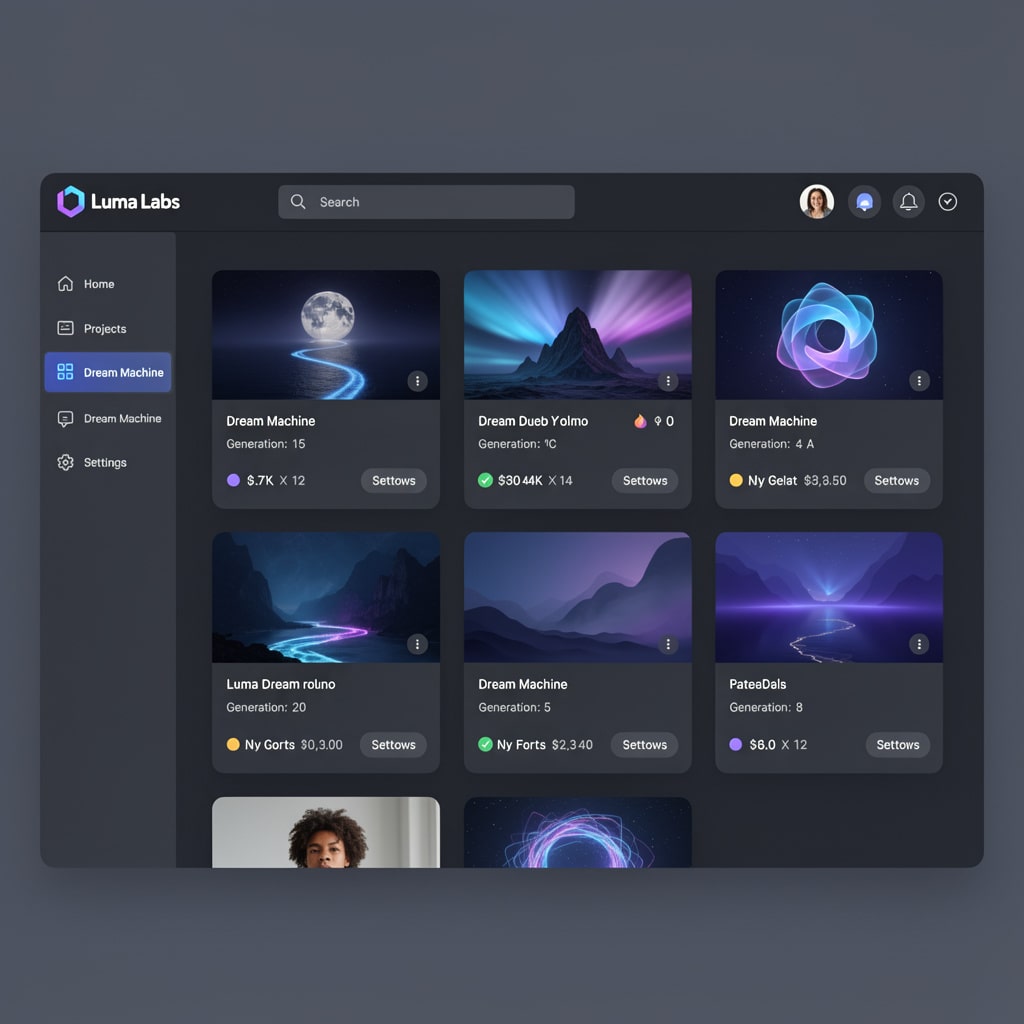
Step 1: Access the Dashboard
Go to the Luma Labs website and click “Try Now.” You will need to sign in with Google.
Step 2: Text vs. Image Input
You have two boxes.
- Text-to-Video: You type a prompt. Recommendation: Be incredibly specific about lighting and camera movement.
- Image-to-Video: You upload a starting frame (e.g., a Midjourney image) and ask Luma to animate it.
Pro Tip: In our Luma Dream Machine review testing, the Image-to-Video feature yielded much higher quality. Generate your “set” in Midjourney first to ensure high resolution, then use Luma solely for motion.
Step 3: The “Enhanced” Prompting
Luma has a feature that auto-rewrites your prompt to be more descriptive. We recommend leaving this ON for beginners.
Advanced Prompting Strategy: Controlling the Camera
One feature that elevates this Luma Dream Machine review is the “Camera Control” discovery. Luma responds very well to cinematic terminology.
If you just type “A man walking,” it looks boring. Use these keywords:
- “Drone Orbit:” Forces the camera to circle the subject.
- “Push In:” Slowly zooms into the subject’s face (great for emotional shots).
- “Low Angle / Worm’s Eye View:” Makes the subject look massive and heroic.
- “FPV Drone:” Creates a fast, flying sensation through tight spaces.
By using these terms, you stop generating “GIFs” and start generating “Cinema.”
The Pricing: Is It Worth Upgrading?
Luma is currently burning cash to acquire users. This Luma Dream Machine review breaks down the generous pricing model (as of mid-2024).
Free Tier
- 30 Generations per month.
- Standard Queue: You might wait 10-20 minutes for a video during peak times.
- Commercial Use: No (Usually watermarked).
Standard Plan ($29.99/mo)
- 120 Generations.
- Priority Queue: No waiting.
- Commercial Rights: Yes.
- Watermark Removal: Yes.
Verdict: For hobbyists, the Free Tier is plenty. For YouTubers wanting to create a faceless YouTube channel with AI, the Standard Plan is a business expense. This tool is perfect for creating B-roll for your Faceless YouTube Channel
The Competitors: Kling AI and Runway
Luma isn’t alone. Any honest Luma Dream Machine review must mention Kling AI.
Kling is a new model from China (Kuaishou). It claims to generate 2-minute videos at 1080p.
- ** The Problem:** It is currently very difficult to access outside of China (requires a Chinese phone number).
- Runway Gen-3 Alpha: Runway recently announced Gen-3 to compete with Luma. It looks promising, but Luma currently holds the edge on “3D Consistency” due to their background in NeRF technology.
Current Limitations (The “Weird” Stuff)
We must demonstrate E-E-A-T (Trustworthiness) in this Luma Dream Machine review. The tool is not perfect.
- Morphing: If a character turns their head too fast, their face might “morph” into a different person for a split second.
- Text: Do not try to generate signs or text. Luma produces alien gibberish.
- The “Slow Motion” Default: Luma tends to default to slow motion. To fix this, add “Real-time speed” or “Fast motion” to your negative prompt or main prompt.
Commercial Use Cases: How to Monetize This
Why should you care? Because this technology lowers the barrier to entry for video production.
1. Music Videos
Independent artists are using Luma to generate psychedelic backgrounds for their Spotify Canvas or YouTube uploads. Combine your Luma video with music using Suno vs Udio
2. B-Roll for YouTubers
Instead of paying $30/month for Storyblocks stock footage, you can generate specific B-Roll.
- Example: “A futuristic server room with blue neon lights.”
- Result: Unique footage that no other creator has.
3. Social Media Ads
In our Luma Dream Machine review, we found that short, 5-second loops are perfect for Instagram Reels or TikTok background visuals (e.g., “Oddly Satisfying” videos).
Conclusion: The “Sora Killer” We Needed
To conclude this Luma Dream Machine review: Is it a Sora killer?
Technically? Maybe not. Sora likely has better temporal consistency over long durations.
But practically? Yes.
Luma Dream Machine is available today. It is free to start. It produces stunning 3D-consistent motion that blows older models out of the water.
If you are a creator, you cannot afford to wait for OpenAI. You need to start learning video prompting today. Luma is the perfect sandbox to master this skill before the video AI revolution fully takes over.
Go to Luma Labs, upload a Midjourney image, and watch it come to life. The future of filmmaking is here, and it renders in about 120 seconds.