Gaming has evolved. It is no longer just about high scores or K/D ratios; it is about content creation, immersion, and social interaction. Whether you want to sound like a space marine in Helldivers 2, troll your friends in Discord, or roleplay as an anime character in VRChat, you need the right tools.
While soundboards have existed for years, the new wave of Generative AI has introduced a groundbreaking technology: RVC (Retrieval-based Voice Conversion). This allows you to change your voice seamlessly while you speak, preserving your emotion and intonation.
However, finding a tool that works with low latency (no lag) without costing a fortune is difficult. In this extensive guide, we have tested and compiled the best free AI voice changers for real-time gaming available in 2026. We will cover setup guides, hardware requirements, and the specific pros and cons of each software to help you transform your online persona.
Table of Contents
Why Use AI Voice Changers in Gaming?
Before we list the best free AI voice changers for real-time gaming, it is worth exploring why this technology is exploding in popularity.
1. Immersion and Roleplay (RP)
In games like Grand Theft Auto V (NoPixel) or Dungeons & Dragons via Discord, your natural voice might break the immersion. Using the best free AI voice changers for real-time gaming allows you to match your character’s physical appearance, whether that’s a gruff orc or a high-pitched elf.
2. Privacy and Anonymity
For many female gamers or younger players, toxicity in voice chat is a sad reality. Masking your voice can provide a layer of safety, allowing you to enjoy competitive shooters like Valorant or Call of Duty without harassment.
3. Content Creation
Streamers use voice changers to create “bits” or skits. Changing your voice to sound like a celebrity or a meme character can instantly increase viewer engagement on Twitch or TikTok.
The Latency Challenge: How We Tested
When searching for the best free AI voice changers for real-time gaming, the biggest enemy is latency.
If you speak, and the AI takes 2 seconds to process your voice before sending it to the game, you cannot communicate effectively. Your teammates will hear your callouts too late.
- Our Criteria: To make this list of the best free AI voice changers for real-time gaming, the software must perform under 500ms latency on a standard gaming PC.
1. Voice.ai (The Community Favorite)
Voice.ai is arguably the most popular tool on the market right now. It utilizes a unique “User Generated Content” approach, meaning the community trains the voices.
Features
- Thousands of Voices: Because users upload models, you can find niche voices (like specific politicians or cartoon characters) that other apps don’t have.
- Parody Mode: Excellent for content creators.
Performance Review
In our testing of the best free AI voice changers for real-time gaming, Voice.ai offered high-quality conversion but struggled slightly with latency on mid-range PCs. It is resource-heavy.
- The “Free” Aspect: It uses a credit system. You can earn credits for free by letting the app use your idle computer power to train models, or you can pay.
Verdict
If you want the widest variety of characters, Voice.ai is a top contender among the best free AI voice changers for real-time gaming.
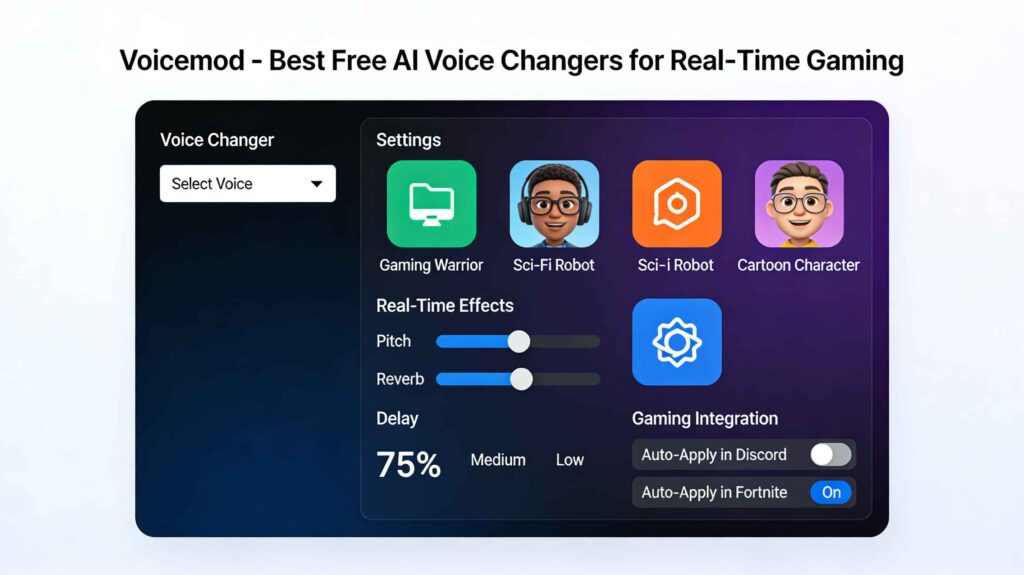
2. Voicemod (The Industry Standard)
If you have watched a streamer in the last five years, they were probably using Voicemod. While it started as a standard DSP (Digital Signal Processing) changer, it has recently integrated powerful AI features.
Features
- Soundboard: It includes a massive built-in soundboard for sound effects (airhorns, memes).
- Integration: It integrates natively with the Elgato Stream Deck, making it the favorite for professionals.
Performance Review
Voicemod is incredibly optimized. It rarely crashes games and has negligible impact on FPS (Frames Per Second).
- The “Free” Aspect: Voicemod offers a rotating list of free voices that changes daily. To unlock all AI voices permanently, you need the Pro version, but the free rotation is generous enough for casual gamers.
Verdict
For stability and ease of use, Voicemod remains one of the best free AI voice changers for real-time gaming.
3. HitPaw Voice Changer (The Newcomer)
HitPaw is newer to the scene but brings a simplified interface that is perfect for beginners who don’t want to mess with audio drivers.
Features
- Noise Reduction: It has built-in AI noise cancellation, which is great if you have a noisy mechanical keyboard or a fan running in the background.
- Keybinds: You can toggle voices on/off with hotkeys.
Performance Review
When comparing the best free AI voice changers for real-time gaming, HitPaw surprised us with its “Human-to-Human” naturalness. It sounds less robotic than some competitors.
- The “Free” Aspect: The free trial is limited, but often enough for short gaming sessions.
Verdict
A solid, user-friendly option for those intimidated by complex audio setups.
4. W-Okada RVC (The Open Source Powerhouse)
This is for the tech-savvy users. W-Okada is an open-source client that runs RVC models locally. It is not a polished app; it is a tool for geeks.
Features
- Zero Cost: It is truly free. No credits, no subscriptions.
- Local Processing: It runs entirely on your GPU.
- Custom Models: You can download voice models from Hugging Face (files ending in
.pth) and load them in.
Performance Review
This creates the highest quality audio of all the best free AI voice changers for real-time gaming listed here. However, it requires a good graphics card (NVIDIA RTX 2060 or better). If your PC is weak, it will lag the game.
Verdict
If you have a powerful PC and want total control, this is the absolute winner among the best free AI voice changers for real-time gaming.
5. Clownfish Voice Changer (The Classic)
We have to include the classic. Clownfish is not “AI” in the modern sense (it uses pitch shifting), but it is so lightweight and reliable that it deserves a spot.
Features
- System-Wide: It installs at the kernel level, meaning it works on literally every application (Skype, Teamspeak, Discord, Valorant).
- Zero CPU Usage: It won’t lower your FPS.
Verdict
If your computer cannot handle the heavy AI processing of the other best free AI voice changers for real-time gaming, Clownfish is your fallback.
Hardware Requirements: Can Your PC Handle It?
Real-time AI voice conversion is computationally expensive. It is essentially “deepfaking” audio instantly. To use the best free AI voice changers for real-time gaming, you need to meet these recommended specs:
- CPU: Intel Core i5 (10th Gen) or Ryzen 5 (3000 series).
- RAM: 16GB is recommended.
- GPU (The most important part):
- For Voice.ai and W-Okada, an NVIDIA GPU with at least 6GB VRAM is highly recommended.
- For Voicemod, a standard integrated GPU is usually fine.
- Microphone: AI cannot fix a bad mic. A decent USB condenser mic (like a Blue Yeti or Razer Seiren) will give the AI better data to work with. Check our guide on Best GPUs for AI to see if your card can handle RVC
Step-by-Step Setup Guide for Discord & Games
Installing the software is only step one. To actually use the best free AI voice changers for real-time gaming, you need to route your audio correctly. Here is the universal method:
Step 1: Install the Virtual Audio Driver
When you install Voice.ai or Voicemod, it will ask to install a “Virtual Audio Device.” Allow this. This creates a fake microphone input on your computer.
Step 2: Configure the App
Open your chosen voice changer.
- Input: Select your real physical microphone.
- Output: Select your headphones (so you can hear yourself) or leave it default.
Step 3: Configure Windows/Discord
This is where most people fail when trying to use the best free AI voice changers for real-time gaming.
- Go to Discord User Settings > Voice & Video.
- Input Device: Do NOT select your real microphone. Select the Virtual Driver (e.g., “Microphone (Voicemod Virtual Audio Device)”).
- Output Device: Select your real headphones.
Now, Discord thinks the voice changer app is your microphone. You can repeat this process inside the settings of games like Fortnite or Call of Duty.
Ethical Considerations and Safety
As we discuss the best free AI voice changers for real-time gaming, we must address the “Trust” aspect of E-E-A-T.
- Harassment: Using voice changers to evade bans or harass other players is against the Terms of Service of almost every game. It can result in a permanent ban.
- Impersonation: Using AI to impersonate real people (like streamers or politicians) for fraud or defamation is illegal in many jurisdictions.
- Deepfakes: Be aware that voice data you upload to cloud-based changers (like Voice.ai) may be used to train their models. Read the Privacy Policy carefully.
Use the best free AI voice changers for real-time gaming for fun and roleplay, not for deception.
Troubleshooting: Why Do I Sound Like a Robot?
A common issue with even the best free AI voice changers for real-time gaming is “robotic artifacts.” This usually happens because of Noise Gates.
The Fix:
- In Discord: Turn OFF “Noise Suppression” (Krisp/Standard) and “Echo Cancellation.”
- Why? Discord tries to “clean” the audio coming from your voice changer, mistaking the AI effects for background noise, and cutting them out. This makes you sound choppy.
- In Game: Set your microphone sensitivity to “Open Mic” or adjust the threshold manually.
Conclusion: Which Tool Should You Pick?
The landscape of audio AI is moving fast. The best free AI voice changers for real-time gaming available today offer studio-quality effects that used to require thousands of dollars of hardware.
- For the Casual Gamer: Download Voicemod. It is stable, easy, and works with everything.
- For the Content Creator: Use Voice.ai for its massive library of celebrity voices.
- For the Tech Geek: Set up W-Okada RVC for the highest quality, private, lag-free experience.
Whatever you choose, remember to test your audio in a private call before jumping into a ranked match. Good luck, and have fun transforming your persona!
Frequently Asked Questions (FAQ)
Are AI voice changers legal in games?
Yes, using the best free AI voice changers for real-time gaming is generally legal. However, using them to harass players or bypass hate-speech bans violates Terms of Service.
Do AI voice changers cause lag?
They can. Cloud-based changers add latency because your voice goes to a server and back. Local changers (like W-Okada) rely on your PC specs. If your CPU is weak, your game FPS might drop.
Can I use these on console (PS5/Xbox)?
Directly? No. You cannot install .exe files on a console. However, you can use a “Remote Play” setup on a PC to route the audio, or use a hardware mixing board, but that is not free.